
Make the association record easier to find, explain, and export when the board needs it.
Governing documents, minutes, policies, insurance, project records, contracts, and board packets stay organized without losing their workflow context. This page explains the workflow so a board can evaluate the operating path before a sales call.
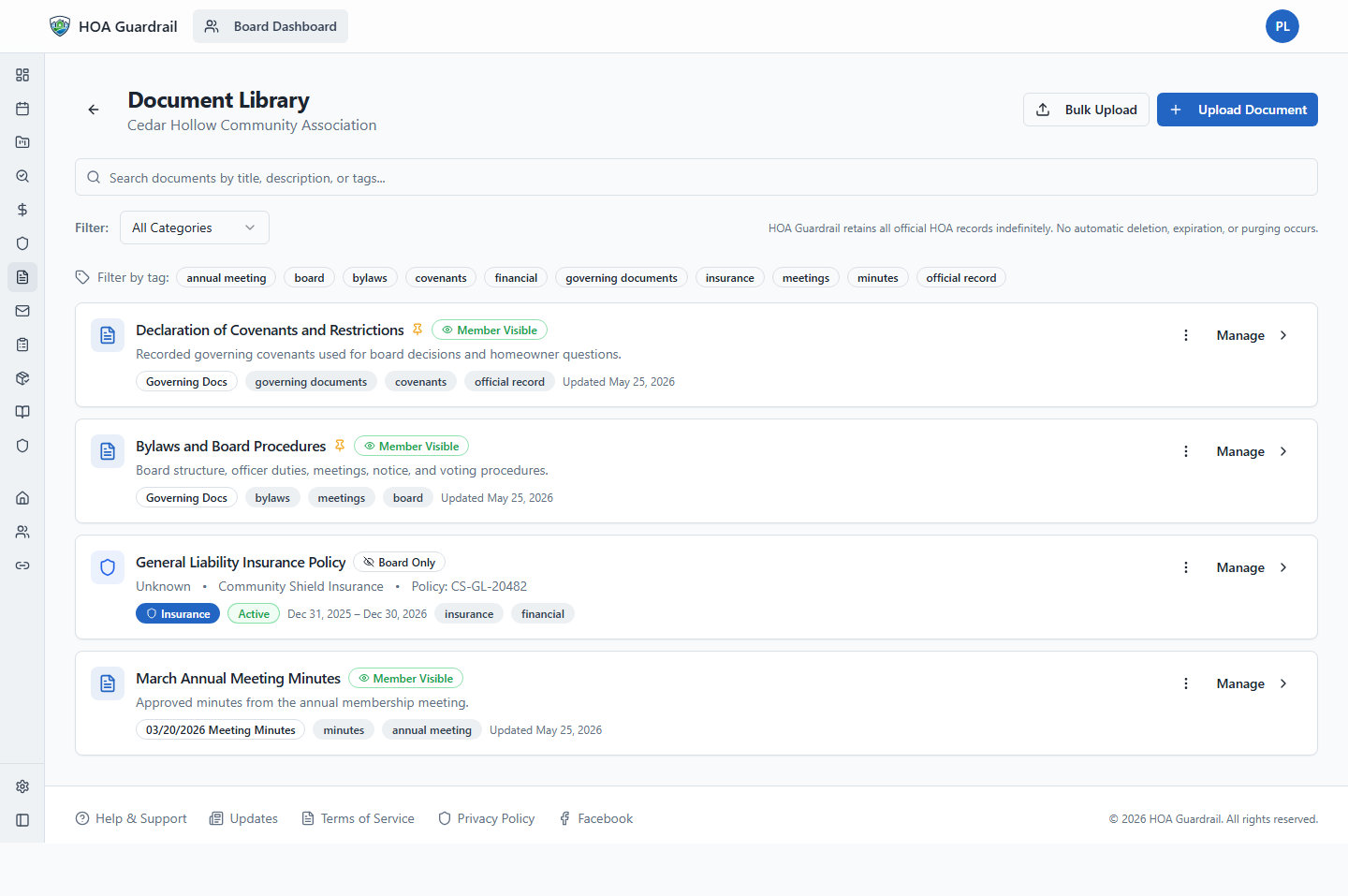
Official records
Governing documents, minutes, policies, contracts, and board materials are easier to find.
Before HOA Guardrail
What usually breaks down
The issue is rarely one missing feature. It is that the record, the decision, and the follow-up live in different places.
Records are split between email attachments, personal drives, scans, and manager folders.
The board may not know which version of a policy, minutes file, or contract is current.
Responding to a records request starts with asking multiple people to search their own devices.
Step-by-step workflow
The board can follow the path from start to finish.
This is the proof layer: what happens first, what gets attached, and where the record lands.
Upload association-level records to the main library and general project evidence from Project Detail.
Use library scope, project document kind, category, and visibility as separate organizing choices.
Tie records to meetings, owners, violations, projects, or financial work where appropriate.
Use official-record views to find what the board has approved or relied on.
Prepare cleaner exports when a board packet, owner request, or transition requires it.
Screenshot proof
Three Cedar Hollow views that support this workflow.
Screenshots give the board concrete product evidence without needing to click through every area during the first discussion.
Official records
Governing documents, minutes, policies, contracts, and board materials are easier to find.
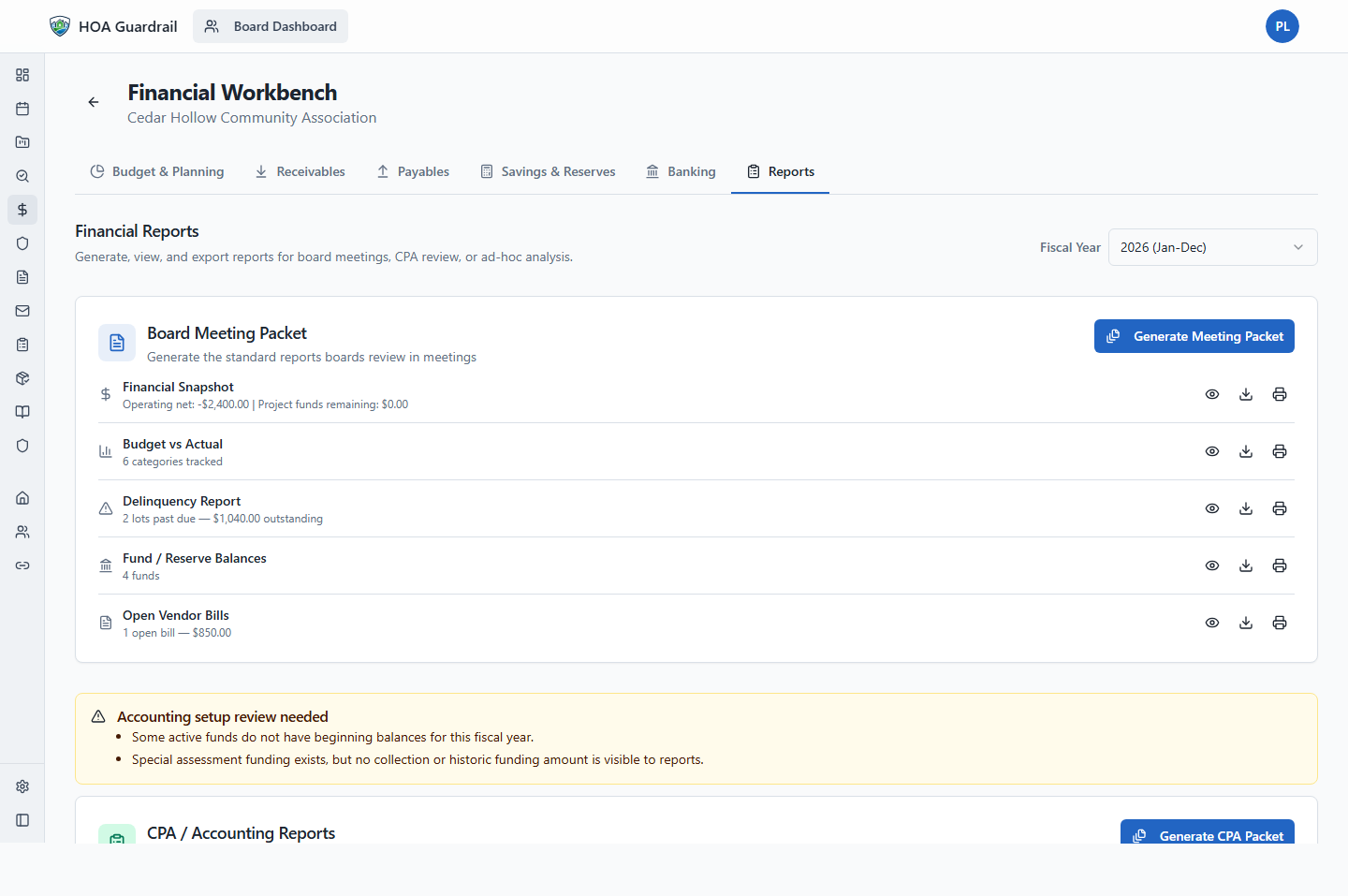
Board financial packet
Budget, receivables, fund balances, and reports are ready for review before the meeting.

Board command center
Open tasks, meetings, records, payments, and owner work from one board queue.
Board confidence note
What this should prove to a skeptical board member
This is the calm version of the personal-email issue: keep board work in the association record so volunteers are not the archive.
Governance posture
Structured workflows help the board explain process and records. They do not replace legal advice.
Training path
Role-based how-to pages are planned for Phase 3. For now, use Cedar Hollow and a walkthrough to review this workflow.
Related workflows
How this connects to the rest of board operations.
A board can start with one workflow, then expand only when the next operating path is clear.
Agenda packet, notice snapshot, quorum, chair prompts, motions, votes, minutes, approval, and follow-up all stay tied to the meeting record.
Budgets, dues schedules, charges, payments, balances, and aging reports become board-reviewable.
Report, verification, notice, owner response, hearing packet, decision, and closure stay in one workflow.
Want to review records with your board?
Use the workflow page for context, Cedar Hollow for sample proof, and a walkthrough for board-specific questions.